IDF – IoT Development Framework
ESP-IDF is Espressif’s official IoT Development Framework for the ESP32, ESP32-S, ESP32-C and ESP32-H series. It provides a self-sufficient SDK for any generic application development on these platforms, using programming languages such as C and C++.
Install Prerequisites
sudo apt-get install git wget flex bison gperf python3 python3-pip python3-venv cmake ninja-build ccache libffi-dev libssl-dev dfu-util libusb-1.0-0Visual Studio Code
Install the ESP-IDF Extension.

In Visual Studio Code, select menu “View” and “Command Palette” and type: configure esp-idf extension

Choose Express
Select ESP-IDF version.
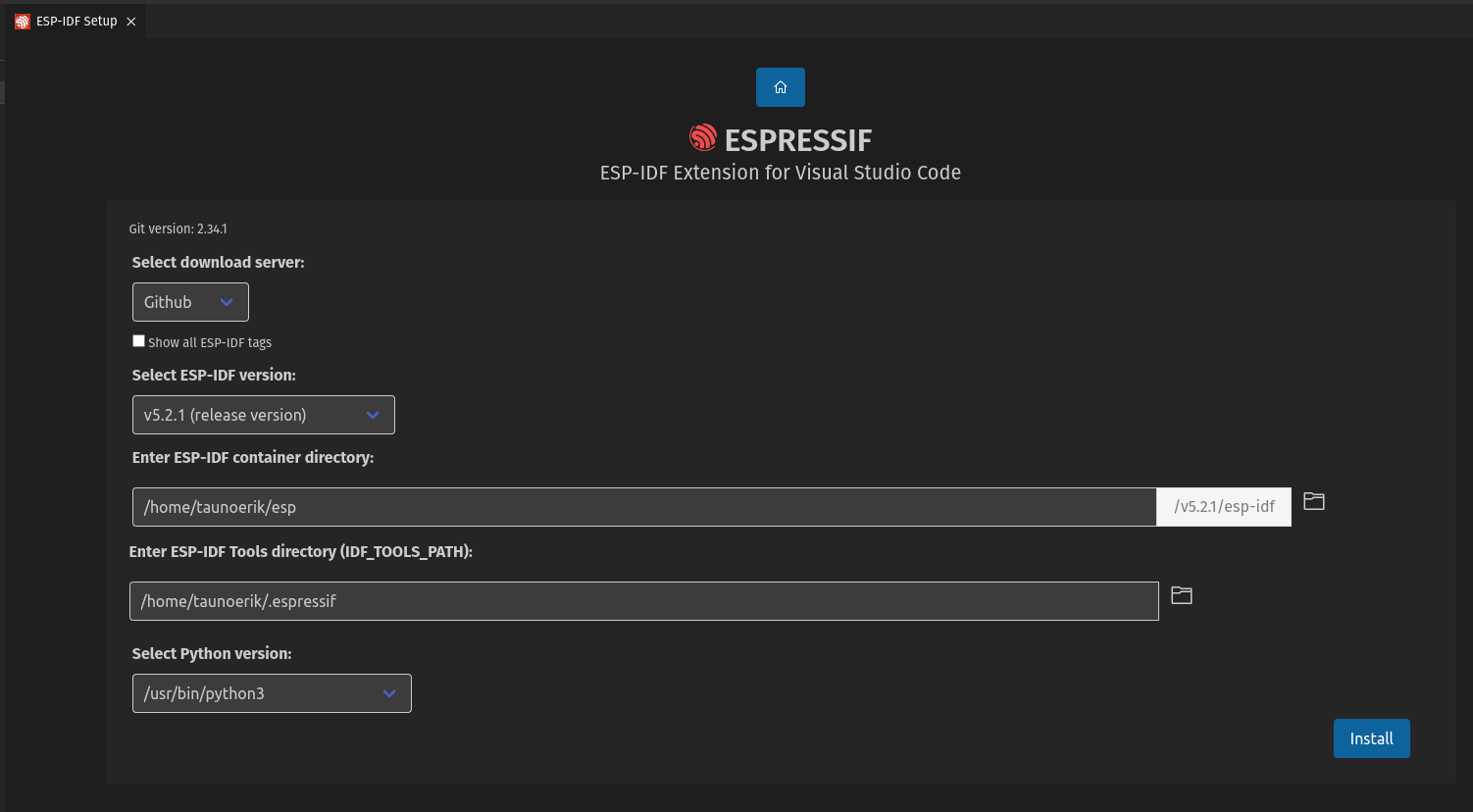
Install.
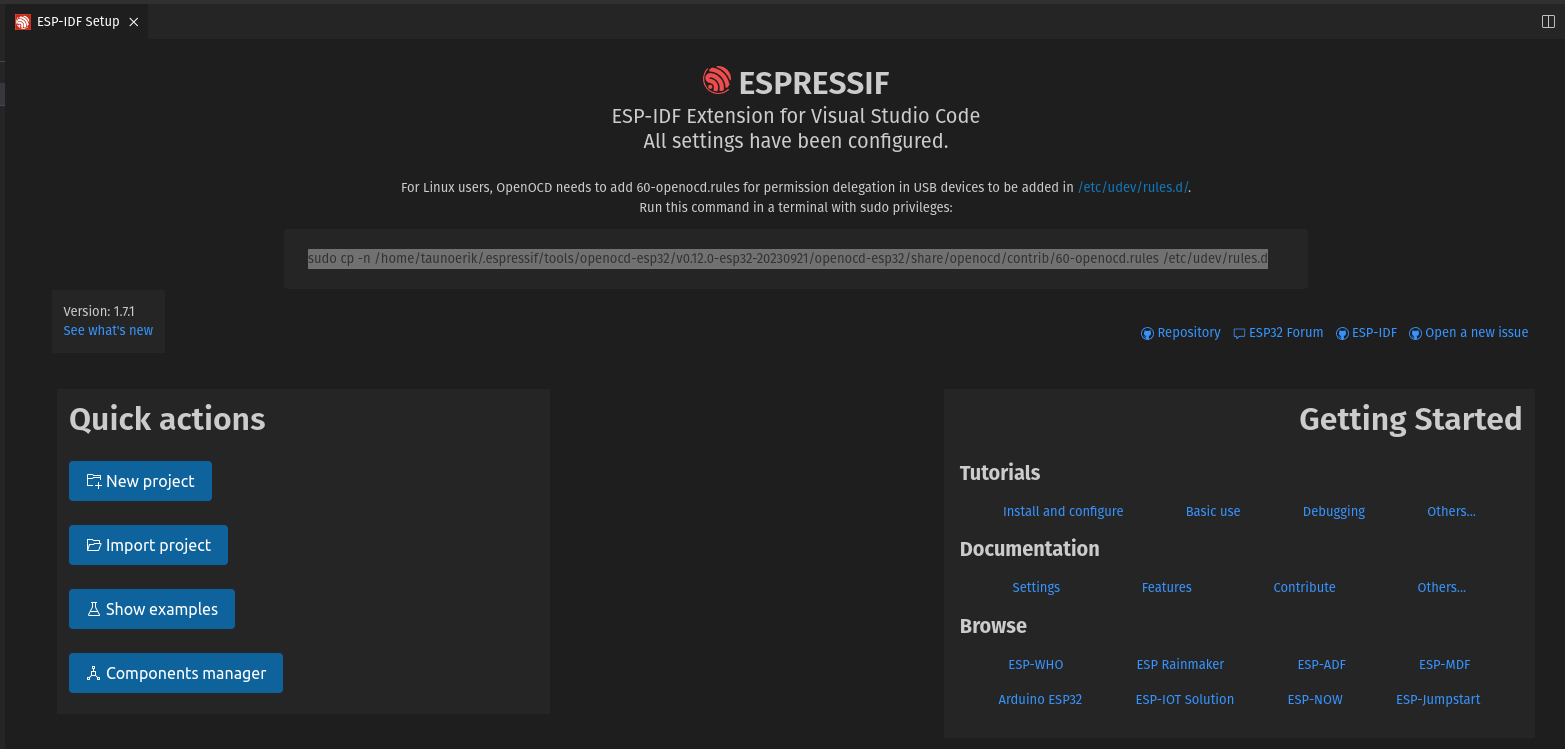
For Linux users, OpenOCD needs to add 60-openocd.rules for permission delegation in USB devices to be added in /etc/udev/rules.d/
sudo cp -n /home/taunoerik/.espressif/tools/openocd-esp32/v0.12.0-esp32-20230921/openocd-esp32/share/openocd/contrib/60-openocd.rules /etc/udev/rules.dBasic use


“Create project using example blink” button.
Create and select folder Blink.

Select an Espressif target (esp32, esp32s2, etc.) with the ESP-IDF: Set Espressif Device Target command. Default is esp32.
Configure your project using menuconfig. Use the ESP-IDF: SDK Configuration Editor command (CTRL E G keyboard shortcut ) where the user can modify the ESP-IDF project settings.
Open the project configuration menu (idf.py menuconfig).
Build the project, use the ESP-IDF: Build your Project command (CTRL E B keyboard shortcut).

Blink example code
#include <stdio.h>
#include "freertos/FreeRTOS.h"
#include "freertos/task.h"
#include "driver/gpio.h"
#include "esp_log.h"
#include "led_strip.h"
#include "sdkconfig.h"

static const char *TAG = "example";

/* Use project configuration menu (idf.py menuconfig) to choose the GPIO to blink,
   or you can edit the following line and set a number here.
*/
#define BLINK_GPIO 2  // pin

static uint8_t s_led_state = 0;


static void blink_led(void) {
    /* Set the GPIO level according to the state (LOW or HIGH)*/
    gpio_set_level(BLINK_GPIO, s_led_state);
}

static void configure_led(void) {
    ESP_LOGI(TAG, "Blink GPIO LED!");
    gpio_reset_pin(BLINK_GPIO);
    /* Set the GPIO as a push/pull output */
    gpio_set_direction(BLINK_GPIO, GPIO_MODE_OUTPUT);
}


void app_main(void) {
    /* Configure the peripheral according to the LED type */
    configure_led();

    while (1) {
      ESP_LOGI(TAG, "Turning the LED %s!", s_led_state == true ? "ON" : "OFF");
      blink_led();

      /* Toggle the LED state */
      s_led_state = !s_led_state;
      vTaskDelay(CONFIG_BLINK_PERIOD / portTICK_PERIOD_MS);
    }
}

